Security can't be an afterthought anymore. Gone are the days of treating it as a final checkbox before launch. For modern development teams, a proactive application security test is what separates a confident product release from a potential disaster waiting to happen. It's about building a culture of continuous protection, not just reacting to problems.
Why Modern Application Security Testing Is Non-Negotiable
In today's fast-paced development cycles, platforms like Supabase and Firebase let us build and ship incredibly quickly. But that speed can create blind spots that older, more traditional security tests completely miss. A simple misconfiguration in one of these powerful services can quickly snowball into a critical vulnerability.
This isn't just theory; it's what's happening in the real world. The UK's Cyber Security Breaches Survey 2025 found that a staggering 43% of businesses identified at least one breach or attack in the last twelve months. While many of these start with phishing, a closer look often reveals that untested applications left the door wide open. Think misconfigured Row Level Security (RLS) rules or API keys accidentally left in public code—these are the exact issues costing UK firms millions. You can dig into the full details on the official government statistics page.
The New Attack Surface
The way we build apps today has created a completely different kind of attack surface. The weak points aren't always buried deep in your custom code; more often, they're in the way different services are configured and interact with each other. For solo developers and small teams without a dedicated security expert, these subtle misconfigurations are especially dangerous.
A proper application security test for these modern stacks needs to focus on how an attacker would actually try to break things. We're talking about real-world scenarios like:
- Flawed RLS Policies: Can an anonymous visitor pull data that should be locked down? Can a logged-in user peek at another user's private information?
- Leaked API Keys: Have sensitive keys or secrets been hardcoded into your mobile app's IPA/APK file or left exposed in your website's JavaScript?
- Exposed Functions: Are your database's remote procedure calls (RPCs) accidentally public, giving attackers a direct line to manipulate your backend?
Before we dive deeper, it's helpful to see these risks laid out. Misconfigurations are incredibly common, but they tend to fall into a few predictable categories.
Common Vulnerabilities in Modern App Stacks
| Vulnerability Type | Common Cause | Potential Impact |
| :--- | :--- | :--- |
| RLS Policy Bypass | Incorrect or overly permissive SQL rules. | Unauthorised data access, privilege escalation. |
| Public RPC Exposure | Forgetting to set functions to SECURITY DEFINER. | Data manipulation, denial of service attacks. |
| Leaked API Keys | Hardcoding secrets in client-side code (JS/mobile app). | Full access to third-party services, data theft. |
| Insecure Storage | Storing sensitive data in public buckets. | Complete exposure of user files and private data. |
| Secret Mismanagement | Using default or weak JWT secrets. | Session hijacking, unauthorised API access. |
Recognising these patterns is the first step. The real goal is to find them before an attacker does.
The big mindset shift is this: security testing is no longer just about finding bugs in thousands of lines of code. It's about proving the integrity of the connections, permissions, and configurations that hold your entire application together.
This guide is your playbook for tackling these modern security challenges head-on. We'll walk through how to plan and run targeted tests, make sense of what you find, and automate your defences so security becomes a strength, not a bottleneck.
Building Your Application Security Test Plan
A powerful application security test doesn’t kick off with a frantic, last-minute scan. It starts with a clear, strategic plan. This isn't just about ticking boxes; it's about focusing your efforts where they matter most, saving you time and delivering real value.
Without a plan, security testing can feel like searching for a needle in a haystack. With one, you're using a powerful magnet, pulling out the most significant risks first. It’s the difference between random checks and a targeted, intelligence-led operation.
Mapping Your Application Attack Surface
Your first job is to get a complete picture of your application's attack surface. This means identifying every single point where a user—or an attacker—can interact with your system. You have to think beyond just the login page.
This process involves getting granular and listing all the components, from the most obvious to the easily overlooked:
- Public-Facing APIs: Document every single endpoint, its parameters, and the authentication it needs. No exceptions.
- Mobile App Endpoints: What backend services does your iOS or Android app talk to? Are these different from your web app's APIs? You need to know.
- Database Functions (RPCs): Especially for platforms like Supabase, are any of your database functions directly exposed to the internet? This is a common and critical oversight.
- Third-Party Integrations: Think about services like Stripe for payments or Twilio for messaging. How does your app connect to them, and what sensitive data gets exchanged?
- Client-Side Code: Don't forget your JavaScript bundles and mobile app files (IPAs/APKs). They're part of your attack surface too and can often contain hardcoded secrets or API keys.
Mapping this out isn't just a technical exercise. It’s about deeply understanding how data flows through your system and pinpointing where your most sensitive information lives. After all, you can't protect what you don't know exists.
Choosing the Right Testing Methods
Once you have a detailed map, you can choose the right tools for the journey. Not all security testing methods are created equal, and the best approach almost always involves a smart combination of techniques tailored to your specific technology stack.
A layered security strategy is essential. No single testing method can catch every type of vulnerability. Combining automated scans with targeted, thoughtful manual checks gives you the most comprehensive coverage for modern applications.
Here’s a quick rundown of the primary types of application security tests you'll be working with:
- Static Application Security Testing (SAST): This is where you analyse your source code without even running it. SAST is brilliant for catching issues early in the development cycle, like hardcoded API keys or common coding mistakes, right in your codebase.
- Dynamic Application Security Testing (DAST): DAST tools are different; they interact with your running application, simulating attacks from an outsider's perspective. They excel at finding runtime vulnerabilities like SQL injection or cross-site scripting (XSS) by actively probing your live environment.
- Interactive Application Security Testing (IAST): Think of IAST as a hybrid approach. It uses agents inside your running application to analyse code execution in real-time, combining the strengths of SAST and DAST for more accurate results with fewer false positives.
For modern stacks like Supabase and Firebase, your plan must prioritise tests that check for misconfigurations. Honestly, this is where you’ll get the biggest security wins with the least effort. Instead of just running a generic DAST scan, a targeted test should specifically probe for insecure Row-Level Security (RLS) policies or publicly exposed database functions.
This is all part of shifting security left—embedding it into the development lifecycle from the start. You can learn more by exploring how to embed security in the SDLC.
This chart nicely illustrates the evolution from old-school, checklist-based security to a modern, continuous approach.
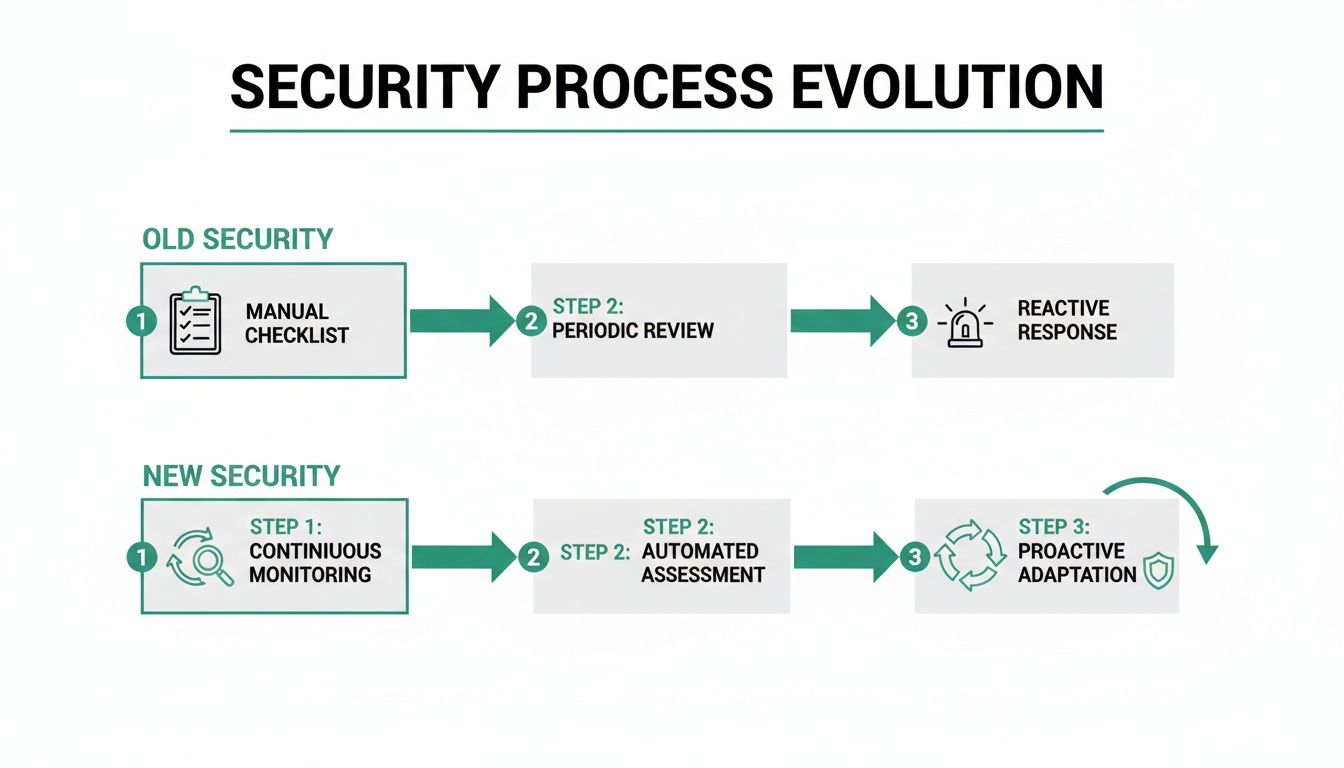
The visual drives home the shift from a reactive, one-time check to a proactive, integrated process. By building a thoughtful plan, you’re not just testing—you’re adopting this continuous mindset.
Hands-On Techniques for Finding Real Vulnerabilities
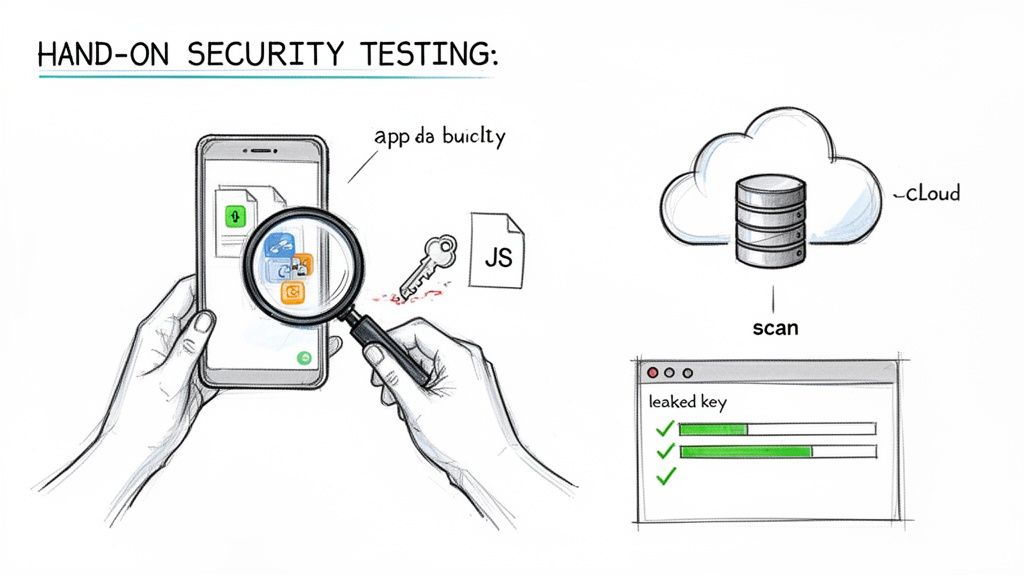
This is where the rubber meets the road. Your carefully laid plans now become real, tangible actions. An effective application security test is so much more than just hitting ‘scan’ and waiting for a report; it's a careful blend of powerful automation and sharp, human-led investigation. You have to learn to think like an attacker.
We’re going to move past generic advice and dig into specific, hands-on methods for finding high-impact flaws in modern tech stacks. The focus here is squarely on the kind of vulnerabilities that are most common—and most dangerous—in applications built with Supabase and Firebase.
Probing Row Level Security Policies
Misconfigured Row Level Security (RLS) is hands-down one of the most frequent and severe issues we come across. A single flawed policy can silently expose your entire user database, yet it's something most standard security tools will sail right past. The goal isn't just to read the policy; it's to actively try and break it.
You need to put on different hats and simulate various user roles to test your assumptions. This means manually crafting queries or API calls under different authentication states:
- As an anonymous user: Can you fetch data from a table that should be completely locked down? Try to read user profiles, private messages, or project data.
- As an authenticated user (User A): Your next move is to try and access data belonging to another user (User B). A common slip-up is a policy like
(auth.uid() = user_id), which seems fine until you need to check if a user is an admin or has other permissions. - As a user with a specific role: If your app has roles like "member" or "admin," you must verify that members can't perform admin actions or access data they shouldn't see.
This manual approach is absolutely vital because RLS logic can get complicated. A policy might look secure on paper but crumble under specific edge cases that only targeted, manual testing will ever uncover.
The core principle of a good RLS test is scepticism. Never assume a policy works as intended. Your job is to prove it can withstand direct, creative attempts to bypass its logic.
The rise in breaches from these app-layer issues is alarming. Recent data shows that vulnerability exploitation is up 34% year-over-year, now accounting for 20% of all breaches. With perimeter defences often taking over a month to patch, attackers are laser-focused on application layers like public RPCs and frontend secrets. You can explore the detailed findings on the growing trends in UK cyber security to get a sense of the urgency.
Hunting for Exposed Database Functions
Another minefield in a Supabase application security test is exposed remote procedure calls (RPCs). These are database functions that can be invoked directly from the client. If they aren't properly secured, they offer a direct line into your core business logic.
The trick is to find any function that's missing proper authorisation checks. An attacker could potentially call an unprotected delete_user_account function with any user ID they fancy, or trigger an update_subscription_plan function to give themselves a free premium account.
Your testing process should look something like this:
- Enumeration: First, systematically list all the RPCs available in your database schema.
- Authentication Testing: Go through the list and try to call each function without being authenticated. Any function that executes successfully is an immediate, high-priority finding.
- Authorisation Bypass: For functions that require you to be logged in, try calling them as one user to meddle with another user's data. Does the function actually check that the calling user has permission to perform the action on the target?
This is where combining automated and manual testing really shines. You can see how certain tools can speed things up by reading our guide on automated penetration testing software. Automation can rapidly identify publicly callable functions, leaving you free to focus your expertise on the more nuanced authorisation logic.
Uncovering Secrets in Mobile and Web Apps
For mobile and web developers, the client-side code itself is a huge part of the attack surface. It’s genuinely shocking how often developers accidentally hardcode sensitive information directly into their application bundles.
The hands-on process here involves decompiling or unpacking your application files and simply searching for secrets.
- For Mobile Apps (IPA/APK): Use tools to extract the contents of your application package. Once it’s unpacked, run a text search across all the files for patterns that look like API keys, such as
pk_live_,sk_live_, or just long, random-looking strings. - For Web Apps: Open your browser's developer tools and inspect the JavaScript source files loaded by your website. Sift through the code for any hardcoded keys, secrets, or configuration objects that might expose sensitive backend details.
Finding a leaked key is a critical vulnerability. It could give an attacker direct, privileged access to a third-party service like Stripe, AWS, or Twilio, letting them steal data or run up enormous bills in your name. This simple but incredibly effective check should be a mandatory step in every single application security test.
Verifying Flaws with Logic Fuzzing
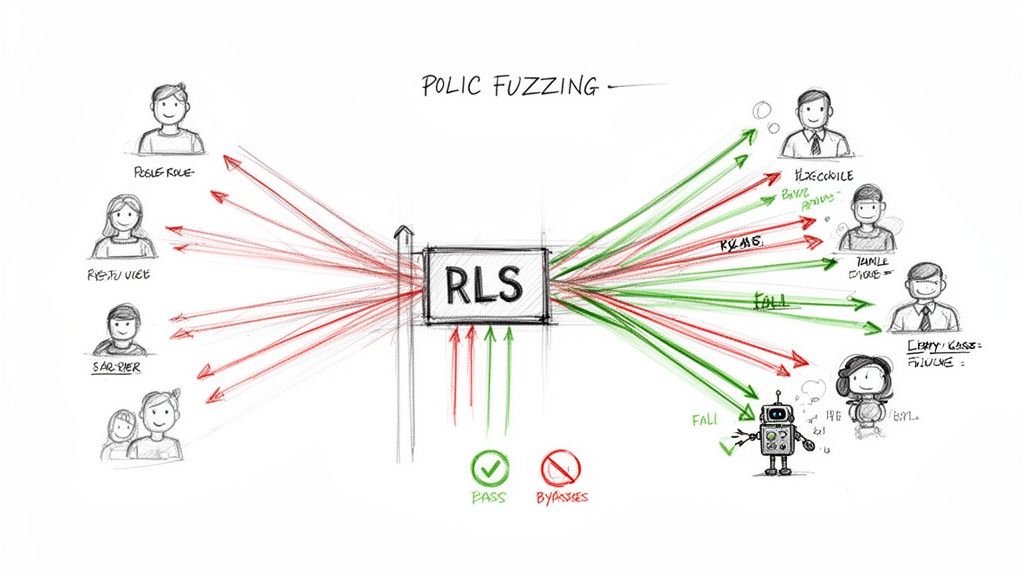
Discovering a potential flaw is a good start, but it's really only half the job. The next, and arguably most critical, step in any proper application security test is verification. You need to prove, without a shadow of a doubt, that the issue you’ve found is a genuine, exploitable threat that could cause real damage. This is where we move beyond simple scans and get our hands dirty with more advanced validation techniques.
Simply flagging a misconfiguration isn't enough to get developers to drop everything and push a fix. You need to hand them concrete, undeniable proof of impact. This is where a technique like logic fuzzing becomes so valuable, turning a theoretical risk into a demonstrated security failure.
The Power of RLS Logic Fuzzing
One of the most effective methods I’ve used for verifying complex authorisation flaws is Row-Level Security (RLS) logic fuzzing. Think of it as a relentless, automated stress test for your data access policies. Instead of just manually checking one or two user roles, a fuzzer systematically hammers your database with thousands of different inputs and user combinations to see what breaks.
This automated approach essentially mimics the persistence of a determined attacker, often uncovering subtle and complex bypasses that a standard manual audit might miss. It’s designed to answer critical questions with absolute certainty:
- Can a user on a 'free' subscription tier somehow access data from a 'premium' tier?
- Is it possible for a user in one organisation to read or write data belonging to a completely separate one?
- Are there strange edge cases where an authenticated user can suddenly see everything?
Logic fuzzing provides the hard evidence needed to show exactly how a data leak could happen. A report that just says, "RLS policy on the 'projects' table may be weak," is easy to ignore. A report that states, "User ID 123 was able to read and modify data owned by User ID 456 using this specific API call," is impossible to dismiss.
Simulating Real-World Attack Scenarios
Let's walk through a common scenario I see all the time. Imagine you have an RLS policy that's meant to ensure users can only see documents they own. The SQL policy might look something like auth.uid() = owner_id. On the surface, that looks perfectly secure.
But a logic fuzzer doesn't just check that single condition. It will automatically create various test users—some authenticated, some anonymous, some with different roles—and then bombard your API with requests. It might discover that while direct reads are blocked, an unprotected database function (rpc) meant for admins can be called by any authenticated user, completely bypassing the RLS policy and exposing all documents.
Verification is the bridge between finding a vulnerability and getting it fixed. Fuzzing provides the steel-reinforced proof you need to build that bridge, showing teams not just that a problem exists, but precisely how it can be exploited.
This is why this kind of advanced verification is so vital for modern platforms. In complex systems like Supabase, the interaction between RLS policies, database functions, and API endpoints creates a huge surface area for subtle misconfigurations. Fuzzing helps you connect the dots and see the full picture.
Getting Team Buy-In with Concrete Proof
At the end of the day, the goal of an application security test is to make the application safer. To do that, you need to convince engineering teams to prioritise and implement fixes. The absolute best way to achieve this is by presenting them with clear, reproducible evidence of an exploitable flaw.
When you can show a developer a short video or a simple set of API calls that demonstrates one user accessing another's private data, the conversation changes instantly. It’s no longer an abstract security finding on a spreadsheet; it’s a tangible product defect that needs immediate attention.
This level of proof is essential for effective risk management. It allows the business to accurately assess the real-world impact of a vulnerability and allocate resources accordingly. By focusing on thoroughly verifying flaws, you ensure your development efforts are spent fixing the most critical risks, not chasing down false positives from basic scanners.
From Findings to Fixes: Creating a Clear Action Plan
A security test report is worthless if it just gathers digital dust on a server somewhere. Its real value comes alive only when you turn those findings into a concrete, prioritised plan. Honestly, the real work starts after the scans and manual checks are done—this is where you translate raw data into genuine security improvements.
This isn't just about ticking off a list of vulnerabilities. You have to look at the scanner outputs and manual findings through the lens of your business. A "medium" risk on paper could be a critical, all-hands-on-deck threat if it exposes your most valuable customer data. On the flip side, a "high" risk might be less urgent if it’s buried in a non-critical, internal-only part of the app.
Prioritising What Truly Matters
First things first, you need to triage the findings. Let's be realistic: not all vulnerabilities are created equal, and your team's time is precious. The goal is to focus your energy where it counts most—on the issues that pose the biggest, most immediate threat.
A solid way to prioritise is to look at a few key factors:
- Exploitability: How easy is it for an attacker to actually use this flaw? A vulnerability that needs a complex, multi-step chain of actions is less of a priority than one that can be exploited with a single, simple API call.
- Business Impact: What’s the worst-case scenario here? Does this lead to a full database breach, a minor data leak, or just a temporary service outage? The answer will tell you how high up the list it should go.
- Data Sensitivity: Does the vulnerability expose personally identifiable information (PII), payment details, or your company's secret sauce? Any flaw touching sensitive data needs to jump to the front of the queue.
Going through this triage process is the only way to build a remediation roadmap that delivers the biggest security bang for your buck in the shortest amount of time.
Actionable Fixes for Common RLS Flaws
When working with modern stacks like Supabase, misconfigured Row Level Security (RLS) is a classic—and critical—finding. A vague report saying "RLS is weak" is completely unhelpful. Your team needs precise, actionable guidance to get the job done.
For example, a common slip-up is a policy that only checks if a user is logged in, not if they actually own the data. A policy like (auth.role() = 'authenticated'::text) is a disaster waiting to happen, as it lets any logged-in user see everything.
A much safer policy ensures users can only access their own data. The fix is often a simple, targeted SQL snippet that can be applied straight away:
-- BEFORE: Insecure policy allows any authenticated user access CREATE POLICY "Allow authenticated read access" ON public.profiles FOR SELECT TO authenticated USING (true);
-- AFTER: Secure policy restricts access to the user's own profile CREATE POLICY "Users can view their own profile" ON public.profiles FOR SELECT TO authenticated USING (auth.uid() = id);
Providing ready-to-use snippets like this transforms a security finding from a problem into a solution, dramatically speeding up the fix. This is more important than ever.
With third-party involvement in breaches expected to hit around 30% by 2025, the need for clear, actionable remediation plans has never been greater. Many UK firms only conduct formal supplier risk reviews now and then, leaving their apps exposed. Supplying actionable SQL snippets and clear guidance helps close the gap identified by a 32-day median remediation time for vulnerabilities, empowering teams to fix issues swiftly. You can explore more UK cybersecurity statistics and trends to get a better sense of the landscape.
The goal of a findings report isn't just to inform; it's to enable. Every vulnerability should be paired with a clear explanation of its impact and a direct, actionable recommendation for how to fix it.
Demystifying Fixes with AI Assistance
For trickier issues, the path to a fix isn't always as clear as a one-line SQL change. This is where modern tools can make a huge difference. AI-assisted analysis is quickly becoming an invaluable ally for untangling complex vulnerabilities.
Instead of a developer spending hours trying to get their head around an obscure security flaw, they can now get suggestions that explain the problem in plain English and even propose code fixes. An AI might analyse a vulnerable database function and suggest not only the corrected code but also explain why the original was insecure. This saves countless hours of frustrating guesswork and, just as importantly, becomes a great learning moment for the team.
This approach creates a straight line from discovery to resolution, quickly improving your security posture and helping you build a more resilient application from the ground up.
Weaving Security into Your CI/CD Pipeline
A one-off application security test gives you a great snapshot in time, but in the world of continuous delivery, it's just that—a snapshot. To keep your security robust without putting the brakes on development, you need to move beyond periodic audits and embrace continuous protection. This means building security right into your Continuous Integration and Continuous Deployment (CI/CD) pipeline.
The whole idea is to automate security checks so that every single commit gets scrutinised for new vulnerabilities before it even thinks about hitting production. This approach, often called DevSecOps, changes security from a final, often dreaded, checkpoint into a shared responsibility woven directly into how you build software. It's how you ship features faster and sleep better at night.
Running Automated Scans on Every Commit
The heart of this strategy is plugging security tools directly into your CI/CD workflow. Instead of a person manually kicking off tests, you set up your pipeline—whether it's GitHub Actions, Jenkins, or GitLab CI—to trigger security scans automatically. Every time a developer pushes new code, the pipeline fires up and runs a battery of automated checks.
These automated checks typically include:
- Static Application Security Testing (SAST): This is where the tool reads your raw source code, looking for common blunders like hardcoded API keys or dodgy coding patterns. It provides instant feedback to the developer.
- Software Composition Analysis (SCA): This tackles the supply chain, identifying known vulnerabilities in the third-party libraries and dependencies your project uses. This is a huge and frequently missed source of risk.
- Custom Configuration Checks: For platforms like Supabase, you can write simple scripts to confirm new database functions have the right security definer settings or that a recent change hasn't accidentally disabled Row-Level Security on a critical table.
This immediate feedback is what makes the process so powerful. You catch problems when they are cheapest and simplest to fix—right when the developer is in the zone. We go into much more detail on these methods in our automated security scanning guide.
Smart Alerts and Catching Regressions
Let's be honest: automation without smart alerting is just a recipe for noise. A truly effective CI/CD security setup doesn't just run scans; it delivers clear, actionable insights. The trick is to configure your system to only fail a build or alert the team for high-severity issues or brand-new vulnerabilities.
Your pipeline should be a safety net, not a brick wall. Set it up to block deployments for critical findings but only post warnings for lower-risk ones. This stops security from becoming a source of friction and developer burnout.
This process also gives you an incredible tool for tracking security regressions. If a vulnerability you fixed two months ago suddenly reappears in a new commit, the pipeline can flag it immediately. This ensures your security posture is always moving forward, not taking one step forward and two steps back.
By making an application security test an automated, frictionless part of your daily workflow, you build a culture where security is simply part of everyone's job.
Your Top Questions Answered
When you're first getting started with proper application security testing, a few common questions always seem to pop up. Let's clear the air so you can move forward with confidence and really bake security into how you build.
How Often Should We Be Testing Our App?
If your team is shipping code regularly, security testing can't be a once-a-year affair. Think of it less like a rare check-up and more like continuous health monitoring.
The best approach is to hook automated scans directly into your CI/CD pipeline. This means every single pull request or merge gets a security once-over. For those deeper, more comprehensive manual audits, aim for a quarterly or bi-annual cadence. It's also a smart move to schedule an extra test right after a major new feature goes live or you've made significant changes to your infrastructure. The ultimate goal is to move security from a periodic, painful event to a constant, low-friction part of your development rhythm.
Do I Need to Be a Security Expert to Do This?
Not at all. While having a security guru on your team is great, you absolutely don’t need to be one to make a huge impact. Modern tools have really levelled the playing field, empowering developers and even non-technical founders to take the lead.
Many automated scanners are designed for simplicity—often, all you need is a URL or your app's build file to get started. The real value is in the results. They don't just dump a list of cryptic problems on you; they provide clear, actionable feedback and even code snippets for fixes. This makes it entirely possible for anyone on the team to find and fix major security holes without a specialised background.
Ready to stop wondering and start finding? AuditYour.App can scan your Supabase, Firebase, or mobile app in minutes to uncover critical misconfigurations before they turn into a real headache.
Scan your app for this vulnerability
AuditYourApp automatically detects security misconfigurations in Supabase and Firebase projects. Get actionable remediation in minutes.
Run Free Scan