When people talk about the security risks of cloud computing, they often picture sophisticated attacks against the cloud providers themselves. But the reality is far more mundane. The real dangers usually come from simple misconfigurations, insecure APIs, and sloppy identity management.
Think of it like moving into a state-of-the-art apartment block. The building has top-notch security, but the landlord isn't responsible for you leaving your front door unlocked or handing out spare keys to strangers.
The Hidden Dangers Lurking in Your Cloud
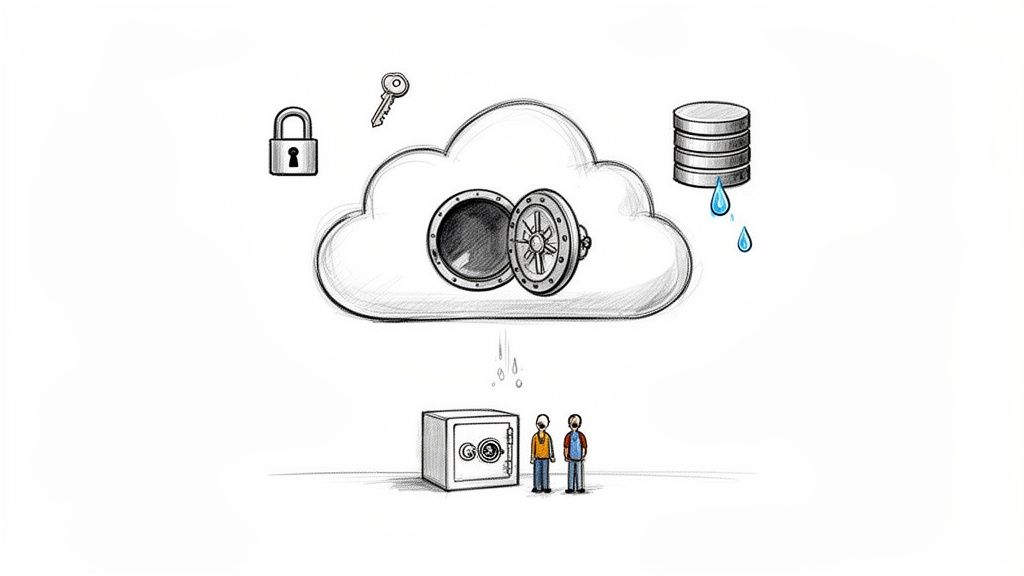
Moving to the cloud gives you incredible power and flexibility, but it completely rewrites the security rulebook. Development teams, especially those using modern back-end platforms like Supabase or Firebase, can accidentally introduce massive vulnerabilities. A single unchecked box or forgotten policy can leave sensitive data wide open to the internet.
This new way of working brings a fresh set of responsibilities that are easy to get wrong. The sheer convenience of cloud services often lulls teams into a false sense of security, causing them to neglect fundamental settings and access controls.
Understanding the New Threat Landscape
The risks are no longer contained within the four walls of a server room; they're spread across a massive, interconnected network. In this guide, we'll walk through the most common threats that organisations face in the cloud, breaking down the jargon into practical, real-world advice. We'll be looking at:
- Misconfigurations: How a simple human error during setup can create a gaping security hole.
- Identity and Access Management (IAM): The problem with giving out too many permissions and not keeping track of who can access what.
- Data Leakage: The accidental exposure of sensitive information from unsecured databases, storage buckets, or APIs.
- Insecure APIs: Why the digital doorways to your applications are such a popular target for attackers.
Cloud security isn't just an IT issue—it's a massive business risk. A breach can trigger huge financial losses, eye-watering regulatory fines, and destroy the trust you've built with your customers. In fact, over 80% of data breaches involve data stored in the cloud, which shows just how urgent this is.
Why Proactive Management Is a Must
Sitting back and waiting for a breach to happen is a recipe for disaster. Modern attacks are so fast and automated that a vulnerability can be found and exploited within minutes of going live.
For a developer, that could be a forgotten Row Level Security (RLS) policy on a Supabase database or a hardcoded API key pushed to a public repository. What seems like a small oversight can escalate into a full-blown crisis in the blink of an eye.
Throughout this guide, we won’t just point out the security risks of cloud computing; we’ll show you how to hunt them down and fix them for good. By treating security as a core part of your development process, you can build stronger, more resilient applications and shield your organisation from the dangers hiding in your cloud.
The 9 Most Common Cloud Security Risks
Understanding the general threat landscape is one thing, but pinpointing the specific security risks of cloud computing is where a defensive strategy truly begins. These aren't obscure, highly technical exploits you see in movies. Most are surprisingly common and often stem from simple human error, a quick oversight, or a misunderstanding of how cloud platforms actually work.
Let's break down the nine most frequent threats teams run into. I'll use some straightforward analogies to make these abstract dangers a lot more tangible.
1. Cloud Misconfigurations
Think of a cloud misconfiguration as forgetting to lock the front door of your new office. The building itself is secure, but a simple mistake on your part leaves everything inside completely vulnerable. This is, by far, the single most common cause of cloud data breaches, usually happening when teams accept default settings that are far too permissive.
A chilling report on UK cybersecurity found that 80% of companies faced cloud security breaches in the past year, with public cloud incidents hitting over 60% of organisations. Misconfigurations are the Achilles' heel here, causing over a third of these breaches. The financial hit is staggering, averaging $5.32 million globally, but it stings UK SMEs even more due to their thinner margins.
For developers, a classic example is failing to properly configure Row Level Security (RLS) on a Supabase database. Just one missing policy can expose every single row in a table, effectively turning a secure database into a public filing cabinet for anyone to rifle through.
2. Insecure APIs
If your application is a digital warehouse, its APIs (Application Programming Interfaces) are the loading bay doors. They’re essential for moving data in and out, but if you leave them unsecured, they offer a direct, unguarded route for attackers.
Insecure APIs can leak sensitive information, allow unauthorised changes to data, or even enable a complete account takeover. The usual culprits are:
- No rate limiting: This lets an attacker make unlimited requests to guess passwords or just overwhelm the system until it breaks.
- Improper authentication: Simply failing to verify who, or what, is making the request.
- Leaked API keys: Accidentally exposing secret keys in public code repositories or mobile app bundles. It's a critical mistake, and you can check out our guide on API key exposure to learn how to lock this down.
Leaving these vulnerabilities unpatched is like leaving the loading bay doors wide open overnight. Anyone can just walk in and take what they want.
3. Identity and Access Management Issues
Identity and Access Management (IAM) is all about controlling who has the keys to your digital kingdom and which rooms they're allowed to enter. Poor IAM is like giving every single employee a master key that opens every door, from the supply closet right up to the CEO's office.
This typically happens when teams grant excessive permissions, taking the path of least resistance instead of following the Principle of Least Privilege. This core security concept states that a user should only have the absolute minimum permissions needed to do their job, and nothing more. When permissions are too broad, a single compromised account can give an attacker the keys to everything.
IAM is not a "set it and forget it" task. It needs regular audits to trim back permissions for former employees or services that are no longer in use. Stale, overly permissive accounts are just ticking time bombs waiting to go off.
4. Data Leakage and Loss
Data leakage is the unintentional exposure of sensitive information, while data loss is its permanent destruction. This risk often goes hand-in-hand with misconfigurations and insecure APIs. For instance, a misconfigured Amazon S3 bucket set to "public" can leak millions of customer records without anyone even noticing until it's far too late.
And it’s not just about external attackers. An accidental deletion by a well-meaning employee or a buggy script can wipe out critical production data in seconds if you don't have proper backups and access controls in place.
5. Multi-Tenancy Vulnerabilities
Using a public cloud is a bit like living in an apartment building. You have your own private space, but you share the building’s core infrastructure—the plumbing, the electricity, the foundations—with all the other tenants. Multi-tenancy is the cloud provider's ability to host multiple customers on the same physical hardware.
Providers like AWS and Google Cloud have incredibly robust systems to keep tenants isolated from one another. However, a vulnerability in the underlying hypervisor (the software that creates and runs virtual machines) could theoretically allow a malicious actor in one "apartment" to snoop on or affect another. It's rare, but it's one of the inherent security risks you accept when you move to the cloud.
6. Supply-Chain Attacks
You don't build your cloud application in a vacuum. You rely on a whole ecosystem of third-party software, libraries, and services to get the job done. A supply-chain attack is when an attacker compromises one of these third-party components to get a foothold in your environment.
It’s like a trusted food supplier unknowingly delivering contaminated ingredients to a restaurant. The restaurant's own kitchen might be perfectly hygienic, but the breach happens through a partner they trusted. This is exactly why vetting your vendors and dependencies is just as crucial as securing your own code.
7. Insider Threats
An insider threat comes from someone who already has legitimate access to your systems—an employee, a contractor, or maybe even a former employee whose access was never revoked. These threats can be malicious, like a disgruntled employee intentionally causing damage, or purely accidental, like an employee clicking on a convincing phishing link.
Because insiders already have legitimate credentials, their activity is much, much harder to spot than an external attack. This really brings home the importance of having strong IAM policies and continuously monitoring what users are actually doing on the network.
8. Denial of Service Attacks
A Denial-of-Service (DDoS) attack is a brute-force attempt to make your application unavailable to legitimate users. The classic analogy is a thousand people blocking the entrance to a shop, preventing real customers from ever getting inside.
In the cloud, attackers do this by flooding your application with a massive volume of traffic from countless sources, overwhelming your servers and network. While cloud providers offer significant, built-in protection against these attacks, a poorly configured application can still be brought to its knees.
9. Compliance and Governance Failures
Finally, operating in the cloud doesn't give you a free pass on regulations. You're still subject to data protection laws like GDPR in the UK and Europe. A compliance failure happens when your cloud setup violates these legal requirements, like storing customer data in the wrong geographical region or failing to secure it properly.
The consequences here aren't just technical; they're legal. A failure often results in severe financial penalties and can cause lasting damage to your company's reputation.
To pull this all together, here’s a quick overview of these common risks.
Top Cloud Security Risks and Their Impact
| Security Risk | Common Cause | Potential Business Impact | | :--- | :--- | :--- | | Cloud Misconfiguration | Human error, overly permissive default settings | Data breaches, regulatory fines, reputational damage | | Insecure APIs | Lack of authentication, leaked keys, no rate limiting | Data theft, account takeovers, service disruption | | Poor IAM | Excessive permissions, stale accounts | Widespread system compromise from a single breach | | Data Leakage/Loss | Public S3 buckets, accidental deletion, no backups | Loss of intellectual property, customer trust, operational failure | | Multi-Tenancy | Hypervisor vulnerabilities (rare) | Cross-tenant data access, service disruption | | Supply-Chain Attacks | Compromised third-party libraries or services | Unauthorised access via a trusted vendor, malware injection | | Insider Threats | Malicious employees, accidental user error | Data theft, sabotage, financial fraud | | DDoS Attacks | Overwhelming traffic floods | Application downtime, loss of revenue, brand damage | | Compliance Failures | Ignoring regulations (e.g., GDPR), data residency issues | Hefty legal fines, loss of business licenses, public distrust |
As you can see, the root causes often trace back to human oversight rather than sophisticated hacks. The good news is that this means many of the most serious risks are also the most preventable with the right processes and awareness.
Real-World Examples of Cloud Security Failures
It's one thing to talk about security risks in theory, but it’s another thing entirely to see how they explode in the real world. History is filled with cautionary tales where a tiny, seemingly harmless oversight spirals into a full-blown catastrophe. These incidents aren't usually the work of some shadowy super-hacker; they're almost always the result of preventable mistakes.
By looking at a few of these real-world examples, we can draw a straight line from the abstract risks we've discussed to the very real, often devastating, consequences. Each case is a powerful reminder of just how vital proactive security really is.
The Leaky S3 Bucket Saga
One of the most frequent and damaging security blunders involves misconfigured cloud storage, often called the "leaky S3 bucket." Amazon S3 is an incredibly popular service for storing files, but a single incorrect permission setting can flip a private bucket to being wide open for anyone on the internet to see.
Countless big-name companies have been caught out by this. In one massive incident, a vendor working for a major telecoms firm left an S3 bucket exposed, leaking the personal data of over 14 million customers. We're talking names, addresses, and even account PINs.
- The Root Cause: Someone had configured the bucket for public access. It was likely just human error or a simple misunderstanding of how AWS permissions work.
- The Business Impact: The company faced huge regulatory fines, suffered serious damage to its reputation, and lost the trust of its customers overnight.
- The Lesson: This shows how a simple misconfiguration can directly cause a massive data leakage. This is exactly why automated scanners are built—to find these kinds of public exposure issues before an attacker does.
This diagram shows how common risks like misconfigurations and insider threats are directly linked to data leakage.
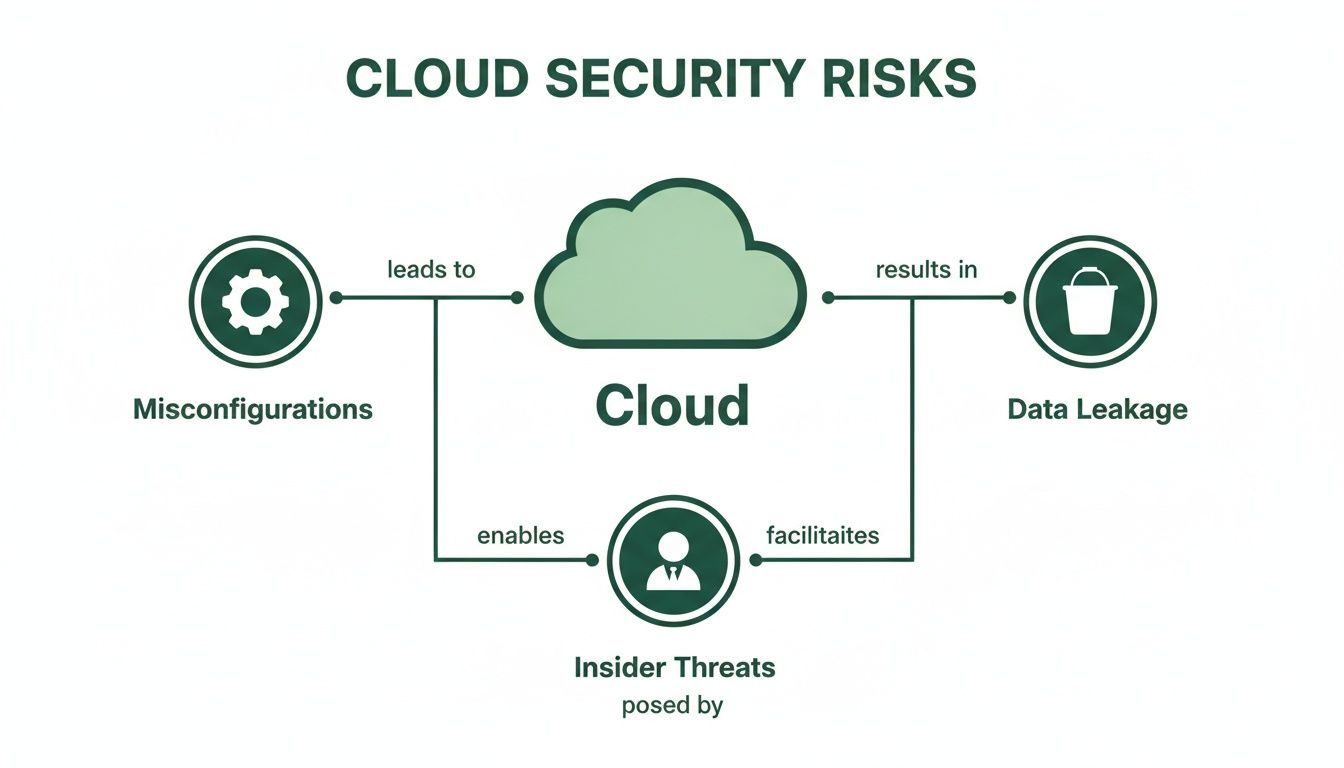
You can see how misconfigurations act as the foundation, creating the cracks that allow for more severe problems like data breaches to happen.
The Compromised API Key Disaster
Another classic mistake is leaving API keys exposed. Developers sometimes hardcode sensitive credentials—like API keys or database connection strings—right into the application's source code. When that code gets pushed to a public repository or bundled into an app, attackers can simply pick it apart and find the keys.
A famous case involved a ride-sharing company whose developers accidentally embedded a master API key in their mobile app. Attackers decompiled the app, found the key, and suddenly had admin-level access to the company's entire cloud infrastructure.
The breach went unnoticed for months, allowing attackers to download the personal information of 57 million users and drivers. To make matters worse, the company initially tried to cover up the incident, which only compounded the damage.
This is a textbook example of the insecure APIs risk. A compromised key is like a front door key for an attacker, letting them bypass many other security checks. This is precisely why platforms like AuditYour.App are designed to scan for hardcoded secrets in frontend code and mobile apps, catching these mistakes before they ever get to your users.
The Flawed Database Rule Exploit
For modern teams using platforms like Supabase or Firebase, Row Level Security (RLS) is a brilliant way to control who can see what data. The problem is, a flawed RLS policy can create critical vulnerabilities that traditional security tools just can't see.
Imagine an application where the RLS rules are supposed to make sure users can only see their own profile data. A small logical flaw in that SQL policy—maybe forgetting to check the user's ID on a particular query—could allow a malicious user to craft a request that fetches everyone's data.
This isn't just a hypothetical problem. Teams often ship applications with unprotected Remote Procedure Calls (RPCs) or buggy RLS logic, unknowingly leaving a backdoor wide open. Automated tools are essential here because they can actively test these rules, proving whether data can actually be read or written when it shouldn't. This turns an abstract risk into a concrete, fixable vulnerability.
Why Cloud Security Breaches Happen So Often
It’s easy to look at the endless stream of breach headlines and think cloud platforms are just inherently insecure. But that’s not really the case. The truth is, most cloud breaches don't happen because of a flaw in the cloud itself, but because of a fundamental misunderstanding of who's responsible for what.
This confusion is why even massive, well-funded companies find themselves on the news for completely preventable security incidents. At the core of it all is the Shared Responsibility Model, a concept that is absolutely crucial to grasp.
The Misunderstood Security Handover
Think of it like renting a high-security office space. The landlord—your cloud provider like AWS or Google Cloud—is on the hook for securing the building itself. They handle the perimeter fences, security guards at the gate, and the strength of the walls and roof. That’s security of the cloud.
But once you’re inside, you’re responsible for what happens in your own office. You have to lock your door, decide who gets a key, and make sure you’re not leaving sensitive client files out in the open. That’s security in the cloud—your data, your configurations, and who you let in.
Breaches happen when teams mistakenly assume the landlord is also locking their individual office doors. It's in that grey area where the real trouble starts. The impact is clear here in the UK. The government's Cyber Security Breaches Survey (CSBS) found that a staggering 43% of businesses in the information and communications sector—heavy cloud users—suffered a cyber breach. Even with the National Cyber Security Centre (NCSC) constantly highlighting shared responsibility, other surveys show that around 29% of IT leaders still don’t quite get it, leaving huge security holes. You can explore more about these UK cybersecurity statistics to see the full picture.
Complexity and Speed Compound the Problem
Beyond that basic misunderstanding, two other factors pour fuel on the fire: complexity and speed. Modern cloud environments are a labyrinth of hundreds of services, each with thousands of configuration toggles. A single misclick, buried five menus deep in a console, can blow a hole in your defences.
Then you add the relentless pace of DevOps. Teams are under constant pressure to ship new features yesterday. In that rush, security often gets pushed to the side. A developer might grant an overly permissive role just to get a feature working before a deadline, or forget to delete temporary access keys. This is precisely why building security into the entire development lifecycle, or ‘shifting left’, is so important. For more on that, you can check out our guide on embedding security into the SDLC.
The combination of misunderstood responsibilities, dizzying complexity, and a "move fast" culture creates the perfect storm for security failures. It’s not that the cloud is unsafe; it's that it has become incredibly easy to make a critical mistake without even realising it.
The Growing Skills Gap
Finally, there’s the elephant in the room: the very real shortage of people with deep cloud security skills. The technology is evolving far more quickly than the talent pool can catch up. Many dev teams are brilliant at building amazing applications but are learning cloud infrastructure security on the fly.
This skills gap means that even with the best of intentions, teams might not know how to correctly configure security controls or spot a vulnerability before it’s too late. This trifecta—misunderstood responsibility, overwhelming complexity, and a lack of specialised expertise—is the engine driving the persistent cloud security risks we see every day.
How to Proactively Defend Your Cloud Infrastructure
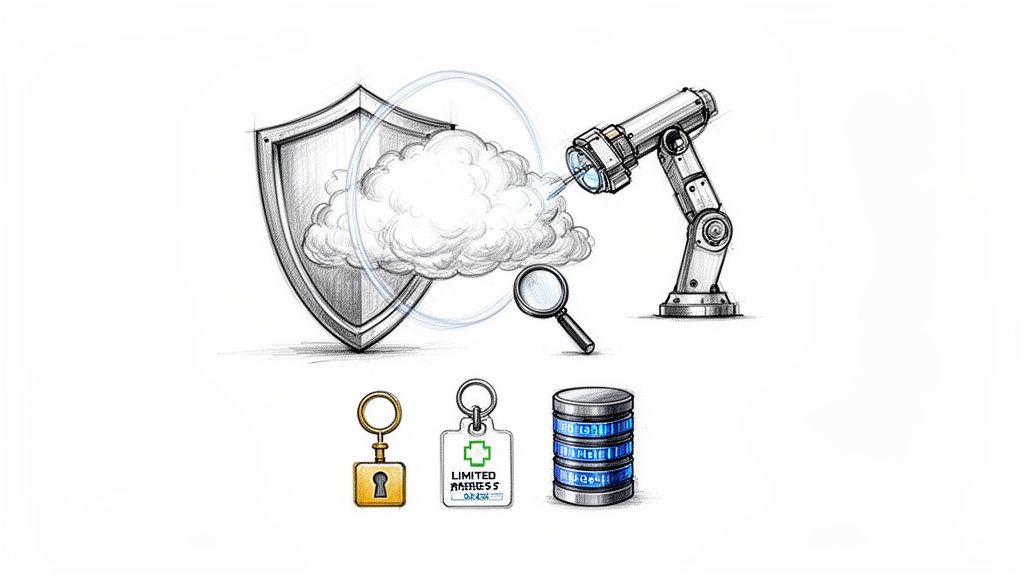
Knowing the risks is one thing; doing something about them is another entirely. A truly effective defensive strategy is about shifting from passive awareness to proactive action. It means you’re not just sitting around waiting for a breach. Instead, you're actively hunting for weaknesses and plugging those holes before an attacker finds them.
This isn't about a one-off checklist. It's a change in mindset.
The best place to begin is with Threat Modelling. It sounds intimidating, but the concept is beautifully simple: you learn to think like an attacker. You look at your own application and ask, "If I wanted to cause trouble here, how would I do it?" This process forces you to see your system through a different lens, helping you pinpoint the most likely attack paths and focus your defences where they matter most.
By mapping out these potential threats, you move from a reactive, panicked state to one of proactive confidence. It allows you to spend your limited time and resources on the vulnerabilities that pose a genuine risk to your business.
Establish Foundational Security Controls
Before you get carried away with fancy tools, you have to nail the basics. These foundational practices are the bedrock of any solid cloud security posture and give you the biggest "quick wins" for shrinking your attack surface.
First up is the Principle of Least Privilege. This is a core security concept that says any user, app, or service should only have the absolute minimum permissions needed to do its job. Nothing more. It's the digital equivalent of giving a new employee a key to their own office, not a master key to the entire building.
Next, get serious about your data. Mandate multi-factor authentication (MFA) for every single user account, especially for administrators. MFA is a critical line of defence that can stop an attacker dead in their tracks, even if they've stolen a password. Lastly, enforce strong data encryption for data at rest (when it's stored on a disk) and in transit (as it moves across the network).
Prioritised Defensive Measures
- Strengthen Identity and Access Management (IAM): Go through your IAM roles and permissions with a fine-tooth comb, and do it regularly. Delete old accounts and ruthlessly trim back any permissions that aren't strictly necessary.
- Enforce Strict Database Rules: For platforms like Supabase, getting Row Level Security (RLS) right is non-negotiable. Make sure every table has a default-deny policy and that your rules are rigorously tested to prevent accidental data exposure.
- Secure All Endpoints: Lock down your APIs with proper authentication and rate limiting to fend off brute-force attacks. Keep detailed logs to spot suspicious activity. And please, never, ever hardcode secrets like API keys directly in your code.
Proactive defence isn't about achieving some theoretical, perfect state of security. It’s about making your infrastructure a much tougher target than the next one. By implementing these foundational controls, you eliminate the low-hanging fruit that most attackers depend on.
The Power of Automated Security Scanning
While manual checks are vital, the sheer scale and speed of modern cloud development make it impossible to catch everything by hand. This is where automated security scanning becomes an absolute game-changer. These tools act as your own tireless, automated red team, constantly probing your infrastructure for weak spots.
Think of an automated scanner as a security expert who can check every digital door and window in your system, 24/7, without ever getting tired or making a mistake. They are programmed to find specific, high-risk vulnerabilities like exposed databases, public RPCs, and leaked API keys that are so often missed during manual code reviews.
What makes modern scanners so effective is their ability to go beyond just looking at your code. They can actively test your live environment to see if a vulnerability is real. For instance, a sophisticated tool can perform RLS logic fuzzing on a Supabase instance. This means it actively tries to read and write data in ways that violate your security rules, proving that a leak isn't just a possibility—it's actively exploitable. To get a better handle on this, you can read our complete automated security scanning guide for more details.
By building these tools right into your development workflow, you give your team the power to find and fix issues long before they ever see the light of day. This continuous feedback loop is the cornerstone of a resilient cloud infrastructure, turning security from a painful bottleneck into a real competitive advantage.
Common Questions on Cloud Security Answered
When you're wading through the world of cloud security, the same questions tend to pop up time and again. Let's tackle some of the most common ones with straightforward, practical answers to clear up any confusion and highlight what really matters.
What's the Single Biggest Security Risk in Cloud Computing?
If you had to point to just one thing, it would be security misconfigurations. It’s the undisputed champion of cloud data breaches, and it almost always comes down to simple human error, not some sophisticated hack or a fundamental flaw in the cloud platform itself.
Cloud services are incredibly powerful, but their complexity makes it all too easy to make a mistake. Default settings are often built for ease of use, not lockdown security. A single wrong click, like leaving a storage bucket public or a database exposed, is all it takes to open the door wide for an attacker.
Think about it: a simple oversight, like forgetting to apply a strict database policy, can instantly change a secure asset into an open book, accessible to anyone on the internet. This is precisely why having automated checks for these issues isn't just a nice-to-have; it's essential.
How Does the Shared Responsibility Model Work for a Startup?
The shared responsibility model is a core cloud concept. The easiest way to think of it is a security partnership between you and your cloud provider, where each side has clear duties.
- The Cloud Provider (e.g., AWS, Supabase): They are responsible for the security of the cloud. This covers the physical security of their data centres, the hardware, and the core network that everything runs on. They make sure the foundation is solid.
- You (The User): You are responsible for security in the cloud. This is everything you build on top of that foundation: correctly configuring your database rules, managing who has access to what (IAM), protecting your API keys, and ensuring your own application code is secure.
For a startup, the key takeaway is that you can't just set it and forget it. The provider secures the environment, but securing what you do in that environment is entirely on you.
Can I Just Rely on My Cloud Provider's Security Tools?
While the security tools offered by major cloud providers are a great starting point, they’re not a complete solution. They provide a solid, general-purpose foundation, but they aren't built to understand the specific logic and nuances of your application.
For instance, a provider's built-in scanner won't analyse your Supabase Row Level Security (RLS) policies for business logic flaws that could let one user see another user's private data. This is where specialised, third-party tools come in. They are designed to find these stack-specific issues, adding a crucial layer of defence that can actively test your rules and prove exactly where a weakness lies.
Don't wait for a breach to discover your blind spots. AuditYour.App is a modern security scanner that finds critical misconfigurations in Supabase, Firebase, and mobile apps before attackers can. Get an instant, actionable security report at https://audityour.app and start shipping with confidence.
Scan your app for this vulnerability
AuditYourApp automatically detects security misconfigurations in Supabase and Firebase projects. Get actionable remediation in minutes.
Run Free Scan